Title here
Summary here
The sections below are synced from the Sqyre application repository README so install and build steps stay in one place.
Sqyre is a Macro Builder, written using GO, with a few notable libraries:
The structure of the fyne widget.Tree:
LoopImage SearchOCRClick: click the mouse where cursor is atMove: move the mouse to specific coordinatesKey: Set a key state Up/DownWait: Wait for time set in milliseconds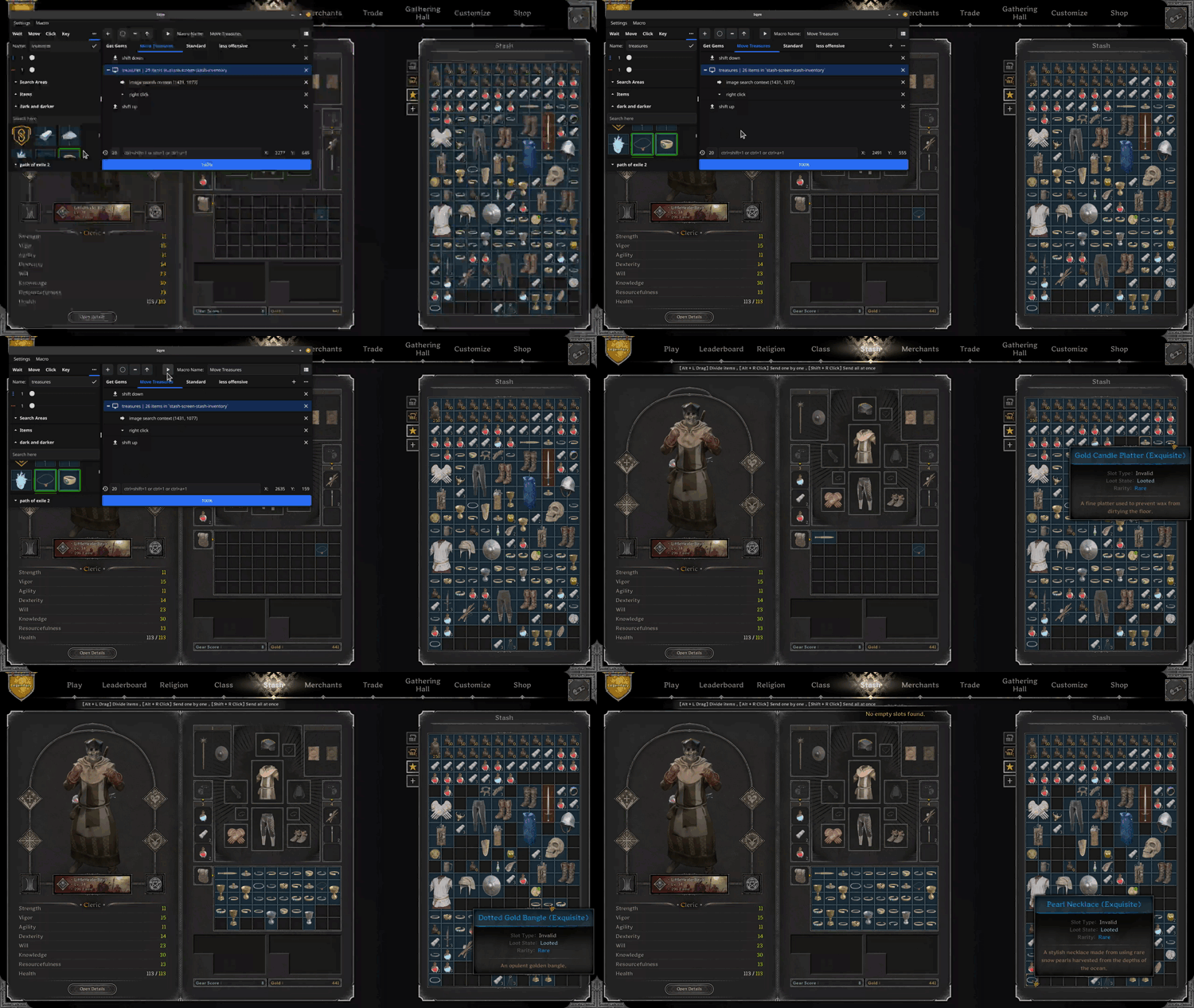
fuck all that clicking
Recommended: Open this project in the dev container (e.g. in VS Code/Cursor: Dev Containers: Reopen in Container). All commands below are intended to be run from a terminal inside the dev container.
From the dev container (dependencies and OpenCV are pre-installed in the container):
go build -o sqyre ./cmd/sqyre
./sqyre
Logs are appended to ~/.sqyre/sqyre.log.
For Flatpak or AppImage packaging, see .devcontainer/builds/linux/packaging/PACKAGING.md.
robotgo requires an X display on Linux. To run UI tests in headless environments,
use the wrapper script, which starts a virtual display automatically when needed:
./scripts/test-ui.shPass through any go test flags after the script name, for example:
./scripts/test-ui.sh -run TestGUIBuild with matprofile to track gocv Mat allocations and find leaks (unclosed Mats). Logs and a pprof HTTP server are enabled.
Build with matprofile:
| Platform | Command |
|---|---|
| Linux | go build -tags "gocv_specific_modules,matprofile" -o sqyre ./cmd/sqyre |
| Windows (from dev container) | ./.devcontainer/builds/windows/build-matprofile.sh |
What you get: Logs (including Mat profile on exit) go to ~/.sqyre/sqyre.log (Windows: %USERPROFILE%\.sqyre\sqyre.log). The pprof server starts on 127.0.0.1:6060 (or 6061–6065 if 6060 is in use); the exact URL is printed in the log. Open it in a browser and use the gocv.io/x/gocv.Mat profile for leak stack traces.
Optional: Set SQYRE_PPROF=0 to disable the pprof server, or SQYRE_PPROF=127.0.0.1:9090 to use a specific port. If the browser cannot connect, allow Sqyre in Windows Firewall or use a different port via SQYRE_PPROF.
If you build on a bare Linux system:
sudo apt install -y \
  build-essential pkg-config cmake golang-go \
  tesseract-ocr libtesseract-dev libleptonica-dev \
  libgl1-mesa-dev libglvnd-dev libglfw3-dev \
  libxkbcommon-dev libxkbcommon-x11-dev \
  libx11-dev libx11-xcb-dev libxext-dev libxtst-dev \
  libxcursor-dev libxrandr-dev libxinerama-dev \
  libxxf86vm-dev libxt-dev \
libjpeg-dev libpng-dev libtiff-dev libwebp-dev libopenjp2-7-dev.devcontainer/Dockerfile for a reference.go build -o sqyre ./cmd/sqyreBuild a standalone Windows .exe with OpenCV and Tesseract statically linked (no DLLs). From inside the dev container (repository root), run the Windows build script:
bash .devcontainer/builds/windows/build.shOutput: .devcontainer/builds/windows/output/Sqyre.exe
The dev container includes Docker-in-Docker and the required tooling.
Using the mingw64 shell in MSYS2:
Install packages
Tesseract English data
C:\msys64\mingw64\share\tessdata.export TESSDATA_PREFIX=C:/msys64/mingw64/share/tessdataOptional: set Go env (if using MSYS2 Go)
export GOROOT=/mingw64/lib/goexport GOPATH=/mingw64Build from the repo (in mingw64): go build -o sqyre.exe ./cmd/sqyre
To use the MSYS2 shell in VS Code: integrate MSYS2 with VS Code.